Human Factors Research - Patient Room Redesign
Project Type
User-Centred Design, Human Factors, Ergonomics
Year
2024
Funding Sponsor
London Health Science Centre (LHSC), Natural Sciences and Engineering Research Council of Canada (NSERC)
Introduction
The problem – At many hospitals, mobilization and patient safety are key issues that can be addressed through multiple solutions. During my internship at London Health Sciences Centre (LHSC), one unit was concerned about the relatively poor ability for patients to begin mobilization and delays in discharge times, and they were actively seeking ways to improve. One of the proposed solutions was to redesign the patient rooms. However, the team faced capacity limitations due to regulatory and budget constraints and a reluctance to alter the real physical environment of the patient rooms.
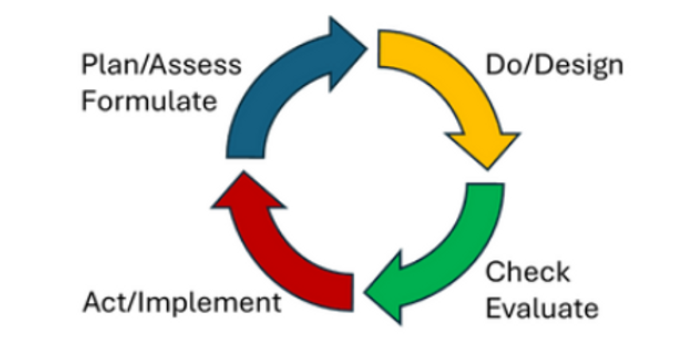
To address these challenges, LHSC and Fanshawe College collaborated to suggest and test solutions using digital human modelling (DHM) tools and virtual reality. Human factors principles and user-centered design were key to introducing and implementing changes in the room redesign, ensuring that both staff and patient needs were considered in the proposed solutions. Additionally, continuous process improvement methods such as PDCA (Plan-Do-Check-Act) and DMAIC (Define-Measure-Analyze-Improve-Control) were applied to guide the project systematically and iteratively toward meaningful and sustainable improvements.
The following page will guide the viewers through each of the steps in the Plan-Do-Check-Act.
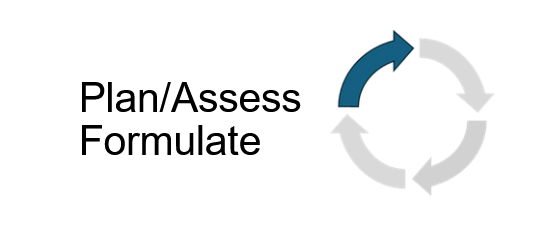
Plan/Assess - Reviewing Propositions
Before we began the project, we held focus groups and did some early discussion with front line workers to better understand why it’s difficult for patients to be mobilized and how room design might be part of the problem. The image on the left, from a previous presentation (University Hospital - Med Room Redesign Options), shows simple changes that could make a big difference. I had proposed to use tools like Siemens Jack and Process Simulate to test how these proposed redesign impact human factor and ergonomics such as collisions, spatial utilization and any changes to the posture of nurses when performing a patient transfer. Since we were working with limited funding and strict healthcare regulations, the changes had to be both practical and cost-effective.
Plan/Assess - Literature Review
At the beginning of the project, after communicating with the stakeholders we had decided to do a literature review to look at human factors in patient room design to improve mobility and specifically the impacts of spatial utilization. The literature was relatively scarce and showed that this was a fairly unexplored area but what was found was that congested spaces/room layouts among other factors effect patient mobility negatively. The literature review was to help explore the current topics, the methodologies used and understand the conclusions drawn by other researchers to use this knowledge to guide our approach and inform stakeholders.
Plan/Assess - Survey
We had issued a survey to LHSC staff to gather their impressions of working on the A4 Medical Unit. The survey was issued as a preliminary step in the user-centred, iterative design process and was distributed via poster and emails. This survey was made to help find common pain points gave us a primary focus to improve and test using digital human modellings ad virtual reality.
The survey questions include:
1. What is your role at LHSC?
2. What kinds of tasks do you perform in patient rooms on A4?
3. If you could modify ANYTHING(s) about the patient rooms, what would they be?
4. Have you shared any of your concerns related to patient rooms on A4?
5. If you answered yes, how have you shared your concerns? (E.g. huddle board, AEMS report, informal conversations, etc.)
6. In terms of usability and the layout of the room, do you have any other comments or feedback? Please include below.
We had than reviewed answers and categorized items to be shared with the stakeholders and as well to be considered for the redesign and testing.
Plan/Assess - Review Current State
The rooms in the two bed rooms are often small and have clutter from hospital items (e.g., chairs, commodes, bins, IV poles, workstation on wheels (WOW)) and patient items (e.g., walkers). This leads to problems regarding patient safety, mobility and staff efficiency. We looked at the semi - rooms in particular (patient rooms with two beds) which a map of the room is shown on the left. With the current design there are risks of trips, falls and decreased patient mobility.
So with the information and data collected from staff and by us taking physical measurement we were able to model the current room inside of the Siemens JACK software
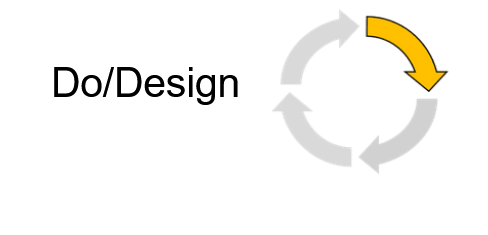
Do/Design - Digital Human Modelling and Industry 4.0
Tecnomatix Jack and Process Simulate are software tools made by Siemens. They are part of the suite of Siemens products that are used to create a digital twin of the facility, the processes, parts/components, and even the workers with a high level of fidelity. These software also enables Discrete Event Simulation which allows to estimate both task times and physical demands.
Human models can be used to gauge eye views, reach and spatial requirements, strength requirements of a worker/user (bio mechanics) and an overall view into the usability of a space. With in these digital human models (DHM) there is included a broad set of anthropomorphic databases.
Do/Design - Why Digital Human Modelling in Healthcare?
Firstly many may ask why apply digital human modelling programs like Jack/Process Simulate in healthcare. It is important to note that Jack/Process Simulate in healthcare is unique relative to how it is heavily used in industry to analyze manufacturing system and products (e.g., Aerospace, Automotive, defence, etc) to help visualize evaluate and assess a process or project before and after implementation. While traditionally applied in industrial contexts, these tools offer untapped potential in healthcare. They allow for the simulation of human interaction with healthcare environments, providing researchers with the ability to study task feasibility, physical demands, workflow bottlenecks, and spatial constraints—before any physical changes are made. This proactive approach supports evidence-based design by enabling iterative testing,
As a result, researchers can inform safer, more efficient healthcare practices with fewer disruptions and lower implementation costs. Fixing something earlier in a product lifecycle is much easier and cheaper than later on.
Do/Design - Modelling
I had personally modelled all figures here based on measurement I had taken and that were provided to me. I had modelled them primarily on the Siemens software, and were primarily designed to be low-poly or low definition. The reason why is because both Jack and Process Simulate requires a lot of computer resources, and our simulations required multiple models and for many of them to be moved around in order to simulate tasks done by front line workers. Moving/animating with high definition models will take up even more system resources and since we are more concerned with spatial utilization low definition models were more than adequate.
On the left are two examples of the 3D modelling I had done for this project. This includes some early and finished products. These were all made and then exported as JT file.
Do/Design - Modelled Current State
This is a 3D model of the room in its current state. By creating this digital representation of the medicine room, we’re able to visualize proposed changes and evaluate how effectively they address issues with space utilization. The process required attention to spatial utilization and is a process that is only achievable through a hands-on, iterative approach grounded in accuracy.
With the measurements provided and collected, we created a highly accurate digital twin of the current patient semi-rooms. This level of detail allows for precise spatial analysis, enabling informed design decisions backed by data. It also demonstrates how digital modelling can bridge the gap between physical environments and thoughtful, human-centred improvements.
Do/Design - Modelled Proposed State
Here are screenshots with the two on images on the left being more of the perspective of the user and the image of the right being the layout of the room. As you can see the following changes that were proposed were implemented into the digital environment:
The sharps bins have been removed from the walls.
The storage item in the washroom area has been removed and been replaced by a garbage bin and a hamster
An added exam light & iv pole were mounted to the wall giving more space between the beds
The chair has been placed next to the bedside
The bedside cabinets have been removed
And the curb into the shower has also been removed
Contrast Between the Current and Proposed State
Do/Design - Eye Tracking
Now that we have both the current state and the proposed state modelled in Jack and Process Simulate we can also see it not just from a static position where we place the camera to give a top down view or somewhere within the room, but also have a more dynamic view with people or objects moving from within and we can see through the perspective of the users.
With this digital twins we can than animate 3D human models to do basic tasks such as walking, picking up items, and placing items. These 3D human models can be adjusted to fit with several anthropomorphic databases. For example, we created and tested the design using a male model representing the 95th percentile in both height and weight, ensuring that anyone smaller would also be accommodated. I can also define the sizes of specific body segments such as hand sizes for example. This allows us to see how different body types may fit, move around and work in proposed environments.
Alongside creating digital twins and testing spatial utilization there is also and ergonomic package within Jack and Process Simulate that can analyze different postures that we can make the digital humans model perform. These can also help tell us which tasks may put workers at an “at-risk posture” that could cause sprain or strains to workers.
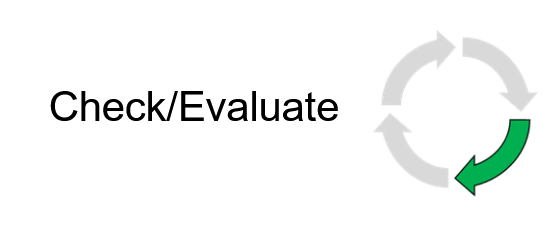
Check/Evaluate - Clearance/Collision
We are able to create animations using the models I had created and the 3D human model that can be adjusted using the anthropometric databases available. We had modelled a few animations and three will be displayed in this portfolio showing where possible collisions may occur in the current room and how it contrasts with the room after the proposed changes.
This first animation is shows one of the biggest bottlenecks which is being were the curtain separates the two bed areas. In both scenarios we are using 95th percentile males designing for the extremes. Not only is there a high chance of collision here especially considering the amount of spatial constraints, but a visibility issue the curtain provides which makes it hard to encourage patients to be mobile. This problem is escalated when healthcare workers attempt to bring equipment.
This digital twin allows us to also edit the room digitally and test modifications without occupying a physical space, which may interfere with patients and staff as the actual environment remains undisturbed during the design and evaluation process.
Check/Evaluate - Clearance/Collision
We are able to analyze another bottleneck at the washroom area. Collisions occur when two 50th percentile females are located within, meaning larger humans are even more likely to cause collisions when passing through this area. It is important to note that the door does in fact stay open in many cases. However, current proposed recommendations of change do not address this issue and was brought up to the team.
Check/Evaluate - Clearance/Collision
We also remodelled collisions in the Process Simulate program using a realistic scenario of having patient with a walker trying to move towards the exit or bathroom. There is not only a risk of collision between the person supporting the patient and their surroundings, but also a potential issue with the patient’s walker due to clutter in the area. However, the person supporting the patient is colliding with a curtain, which provides some flexibility, reducing the impact. The collision would only be significant if someone or something were on the other side of the curtain. This highlights the benefit of having a soft barrier like a curtain, as it helps minimize the impact compared to hitting a solid wall or screen.
Check/Evaluate - Spatial Sequence & Timing
Whenever a patient room is cluttered, time is lost as staff have to reorganize or remove items to make space for patient care. This wasted time varies depending on factors like the weight, size, and amount of clutter as well as the speed and strength of the worker and where items need to be moved. For example, if the washroom has no space, items might end up in the hallway, which can further disrupt workflow.
To analyze this, we simulated a common scenario where a staff member needs to move three items from the wall opposite the hospital bed. This mimics an all-too-frequent situation and, although the scenario could involve moving items that are closer to the bedside—adding even more time—we still see notable time savings with the redesigned layout. To the right there are the timings and a spatial sequence diagram visualizing the movement paths of the nurses/PSWs.
The time spent moving these items directly impacts patient mobilization and is a barrier to achieving positive patient outcomes. The proposed changes may save up to 12 hours per year per employee. By reducing clutter and reorganizing the room layout, our proposed changes help free up valuable time, allowing staff to focus on patient care and promoting quicker, safer patient mobilization.
Now with the redesign proposal some items may still be present against that opposite wall. But as long as the amount is reduced an improvement should be observed.
Check/Evaluate - Lower Back Compression
Using the ergonomic package included in Jack & Process Simulate we can look at the challenges of the current design with the clutter, we can see how reaching over an obstacle creates much more strain in the body. Reaching over objects as modelled on the image of the left puts increased strain on the lower back This is why we often hear to keep what we’re lifting close to our body.
The two images below contrasts the differences in forces in newtons (N) of the human modelling mock-up in the current state vs the proposed state supporting the statement above. In this example the force on the back decreases from approximately 2500N to approximately 1200N.
Current State
Proposed State
Check/Evaluate - Virtual Reality (VR)
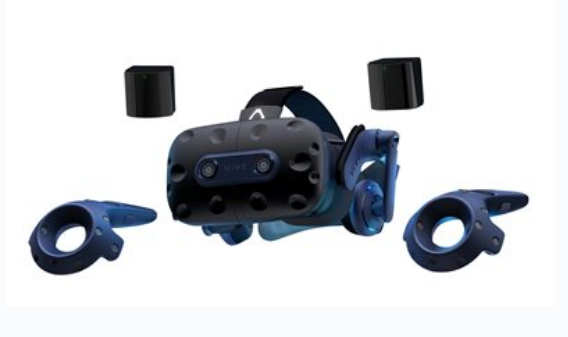
As well with animations we were also able to enter the digital room using virtual reality. We had acquired and used a HTC Vive headset in order to see the room in virtual reality and also the Vive body trackers in order to be able to control and mock employees moving items around in both the current and proposed room. Entering the digital patient room with an HTC Vive headset and body trackers, allowed us to control virtual avatars performing tasks in both current and proposed room designs. This setup enabled us to test hospital scenarios and assess how the redesign would impact tasks—all without needing to occupy an actual patient room at University Hospital.
Check/Evaluate - Virtual Reality (VR)
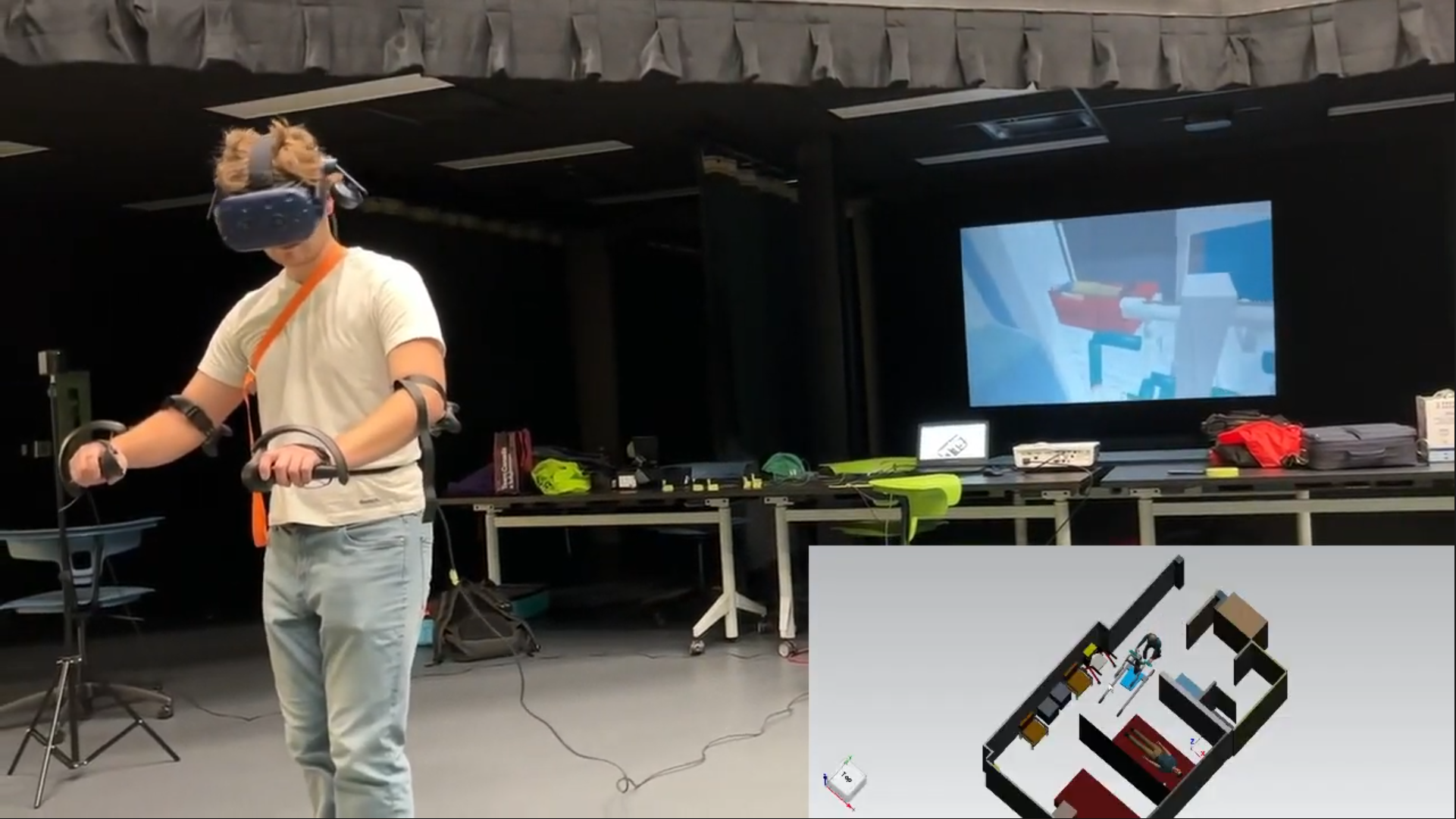
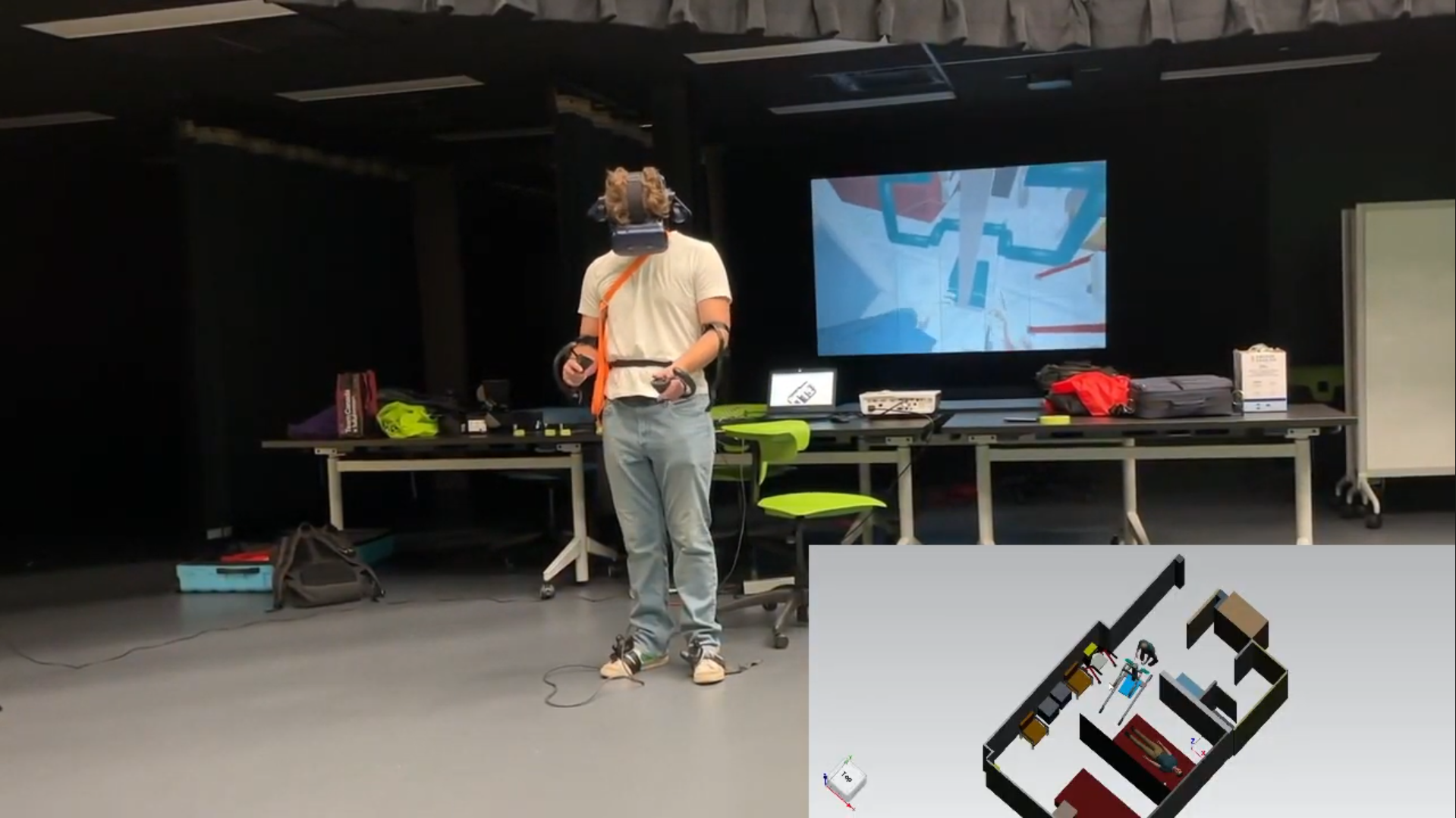
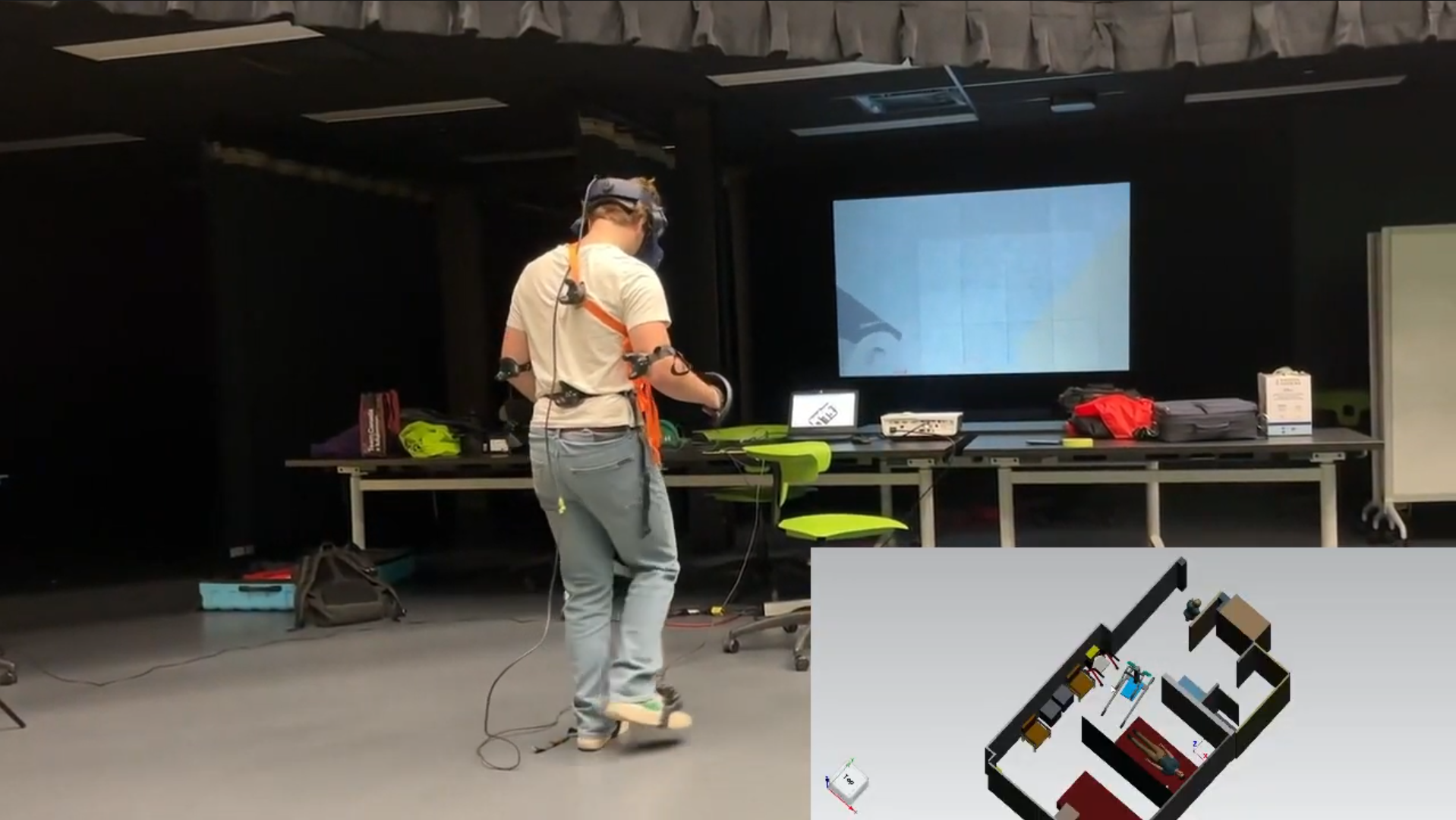
In this video of a VR mockup of a stretcher transfer there is three screens with the main one being one of the researchers making movements in the virtual reality, the top left showing a top-down perspective of what's happening and in the background you can see the eye view of the avatar in the virtual reality. The room as it is currently makes it very difficult to fit in the stretcher into position for transfer without rearranging the items on the far wall which is a necessary task in order to fit the stretcher into place. As well as demonstrated in this video there is still a concern with collision as you see the flickering of red on the top left screen indicating a collision.
Check/Evaluate - Virtual Reality (VR)
Here are some more images of measuring tasks using virtual reality. These images are are testing the SARA tool. Overall the rearrangement of room items optimizes space, allowing for quicker task completion when bringing in equipment with less errors.
Check/Evaluate - 5s Principles
We had also made a recommendation and had a conversation about applying 5S principles in patient rooms to organize staff items. The 5S principle was created by Toyota, who has had massive success in using this model to minimize inefficiencies in process. We believed this could be applied to patient rooms as a method to streamline workflows, reduce clutter, and ensure that essential tools and supplies are consistently placed and easy to find. This would help save time for staff, reduce frustration, and contribute to a safer and more efficient care environment as misplacement of items in patient rooms and other rooms is a common problem.
Presentation
We had finally presented all this information to the stakeholder, including nurses, doctors, project managers, and administration staff and had answered any questions regarding the research and the technology involved. The presentation was successful and lead to buy-in from leaders who the floor staff needed approval from. We had ended the presentation with a virtual reality demo that allowed anybody attending the presentation to enter the proposed environment we were researching and compare it to the cluttered patient room they were all to familiar with. We as researchers had completed the first three steps of the Plan-Do-Check-Act (PDCA) iterative design process and it was now given to the hospital to consider and implement the design changes.
Conclusion
This project highlights a novel approach to integrating usability and ergonomics within healthcare environments. By gathering and incorporating feedback directly from employees, design ideas can be evaluated in a user-centered way. These proposed changes can then be tested through simulation or digital human modelling prior to implementation, helping to conserve resources and demonstrate their effectiveness. Identifying and addressing potential issues early not only reduces associated costs but also has a positive impact on key outcomes such as productivity, quality of care, and the likelihood of adverse events. This proactive approach supports safer, more efficient healthcare spaces that better serve both patients and staff.